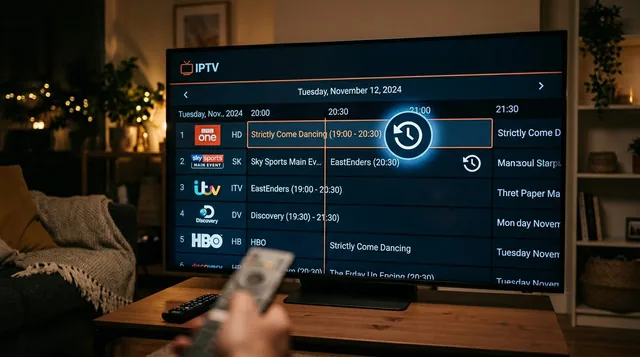
It is April 2026. The UEFA Champions League Quarter-Finals and NBA Playoffs are in full swing. But there is a massive problem: the game kicks off while you are still at work. You rush home, open your IPTV app, and click the "Catch-Up" button to watch the replay—only to be met with a blank screen or a "Feature Not Supported" error.
Over the past 7 days, "IPTV Catch-Up not working" has been one of the most searched phrases in the cord-cutting community. Why do so many budget IPTV services fail to provide reliable TV replays? And if your provider doesn't have it, how can you record live TV yourself?
In this exclusive 2026 guide, we are explaining exactly how IPTV Catch-Up technology works, why cheap providers disable it, and how to future-proof your setup so you never miss a kickoff again.
What is IPTV Catch-Up (and How is it Different from VOD)?
Many users confuse Catch-Up TV with Video on Demand (VOD).
- VOD is a library of movies and TV series (like Netflix) that the provider uploads manually.
- Catch-Up TV is a live DVR (Digital Video Recorder) hosted on the provider's servers. It automatically records live television channels and saves the broadcast for a rolling period—usually 3 to 7 days. This allows you to open your TV Guide (EPG), scroll backward in time, and play a live broadcast you missed.
Why Is My IPTV Catch-Up Not Working? (Top 3 Reasons)
If you are staring at a blank screen when trying to watch yesterday's match, here is why:
- Massive Server Costs: Recording hundreds of live 4K and HD channels 24/7 requires hundreds of terabytes of expensive server storage. Cheap, $20-a-year IPTV resellers simply cannot afford this storage, so they quietly disable the feature entirely.
- You Are Using an M3U Link: Catch-Up TV requires two-way communication with the server to pull archived video files. If you logged in using an outdated raw M3U link instead of the modern Xtream Codes API, your app cannot access the Catch-Up archives.
- Unsupported IPTV Player: Not all apps support time-shifting. If you are using a generic, free app from the app store, it likely cannot read the Catch-Up code.
The Quick Fix: How to Record Live IPTV Yourself
If your current provider doesn't offer Catch-Up, you can manually record live TV to your device—but you need the right setup.
If you are using a IPTV Mate TiviMate setup on an Android TV box, simply plug a large USB flash drive (at least 64GB) into the back of your device. Inside the TiviMate app, highlight the upcoming match on your TV guide, long-press the "Select" button, and choose "Custom Recording."
Note: Recording a 2-hour match on a 4K IPTV subscription takes up massive amounts of storage. A standard Amazon Firestick only has 8GB of total memory, meaning it will crash if you try to record a 4K game directly to the device without an external USB OTG cable.
The Ultimate Solution: Upgrade to a Premium Catch-Up Provider
Manually setting up USB drives and scheduling recordings is tedious. The best way to watch missed sports is to use a premium provider that does the heavy lifting for you.
At IPTV Mate, we invest heavily in enterprise-grade server storage. When you purchase a IPTV Mate subscription, you gain access to our extensive 7-Day Catch-Up feature on all major sports, news, and entertainment networks. Simply open your TV guide, look for the "Clock" icon next to the channel name, scroll back to the match you missed, and hit play.
Because we operate as a top-tier buffer-free IPTV provider, your Catch-Up replays will stream just as smoothly as live TV, powered by our advanced anti-freezing IPTV service infrastructure. Whether you are using the IPTV Mate for Firestick app or doing a IPTV Mate Smarters Pro setup, catching up on your favorite content has never been easier.
Never Miss a Game Again with IPTV Mate
Stop rushing home to catch the second half. Upgrade to the best premium IPTV service and take total control of your viewing schedule.
With our massive IPTV Mate channel list and premium Catch-Up capabilities, we are widely considered the best IPTV for live sports replay. If you are looking for a highly reliable IPTV Mate alternative to your broken budget service, it is time to make the switch.